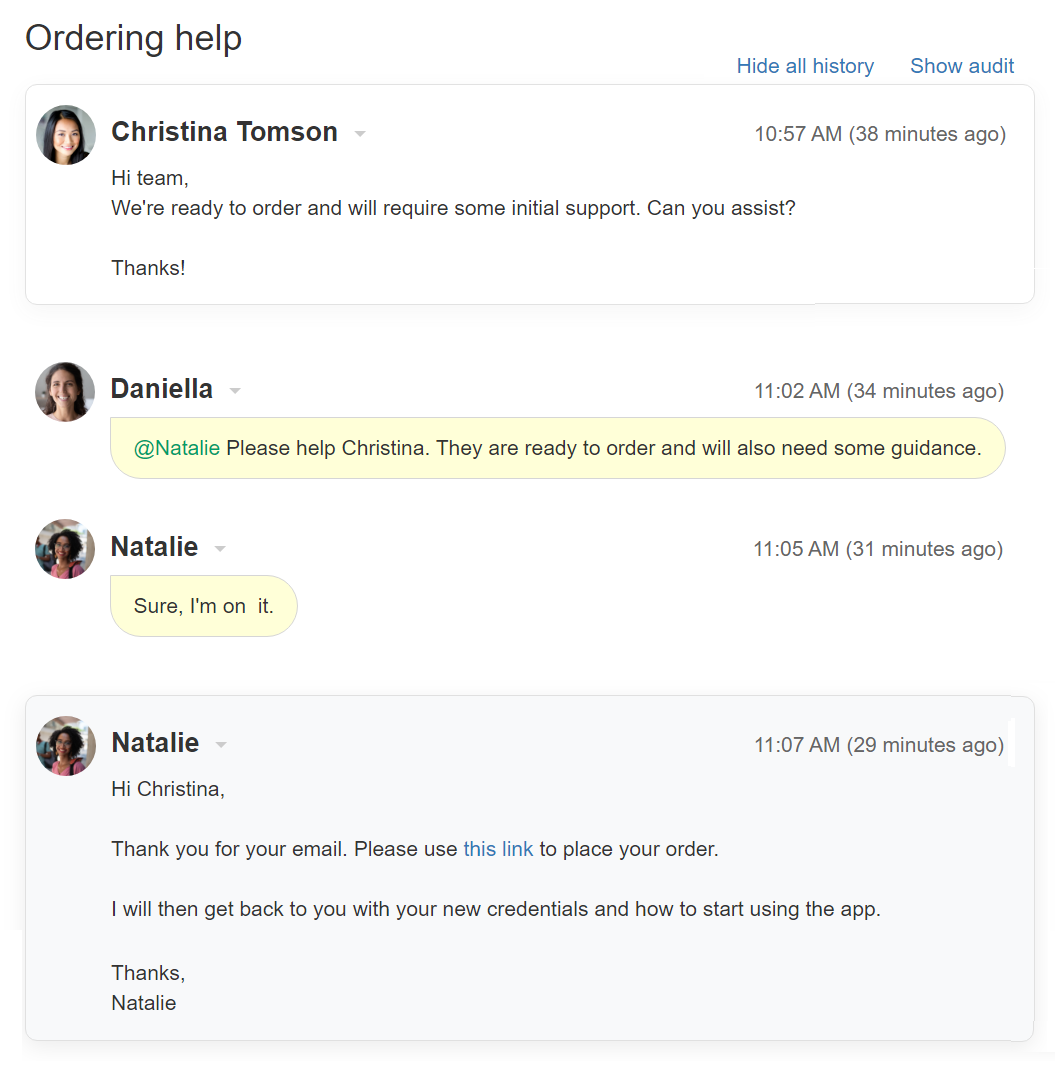
What is a ticket history?
Looking at the ticket history the user can see the entire development of this ticket over time.The ticket history is built from different pieces of information:
- The first comment on the ticket, from a customer or a user
- Internal notes from users
- Public replies from users
- Replies from customers (end-users)
- Attachments
- Audit information (see below)
What is audit information?
Audit information is part of the complete history. When viewing a ticket’s history, you can see that audit lines have an “Audit” label. The audit shows updates performed on specific fields of the ticket, such as status, assignee, label, etc.
Audit updates can be performed by users or automatically by the Replypad. The audit lines show who performed the update, then the field name, and the old and new values for this field.
How to view ticket history and audit?
When entering a ticket you can see the latest comment and Drafts. To view history comments and audit information:
- Click Show all history that appears next to the ticket subject.
- This will display all history of comments together with audit details (ticket fields update).
- Click Hide audit if you want to hide only audit details.
- Click Hide all history to go back to regular display.